Connect → Claude Code
Use AxForge with Claude Code
Claude Code is Anthropic's coding agent for the terminal. It speaks the Anthropic Messages API, and AxForge serves that too, so it points straight at us. One settings file does it.
- An AxForge API key. Get one (a minute).
- Node.js 18 or newer. This guide was tried with Claude Code 2.1.302 on 2026-10-17.
Set it up
-
Install Claude Code
npm install -g @anthropic-ai/claude-code -
Point it at AxForge
Create the file
~/.claude/settings.json(on Windows%USERPROFILE%\.claude\settings.json) with your key in it:{ "env": { "ANTHROPIC_BASE_URL": "https://api.axforge.ai", "ANTHROPIC_AUTH_TOKEN": "orx_live_your_key_here", "ANTHROPIC_MODEL": "glm-5.3-flash", "ANTHROPIC_DEFAULT_HAIKU_MODEL": "mimo-v2.6-flash", "CLAUDE_CODE_MAX_CONTEXT_TOKENS": "262144" } }The base URL has no
/v1: Claude Code adds/v1/messagesitself. The last line tells it how much our models can read at once. -
Start it in your project
cd my-project
claude
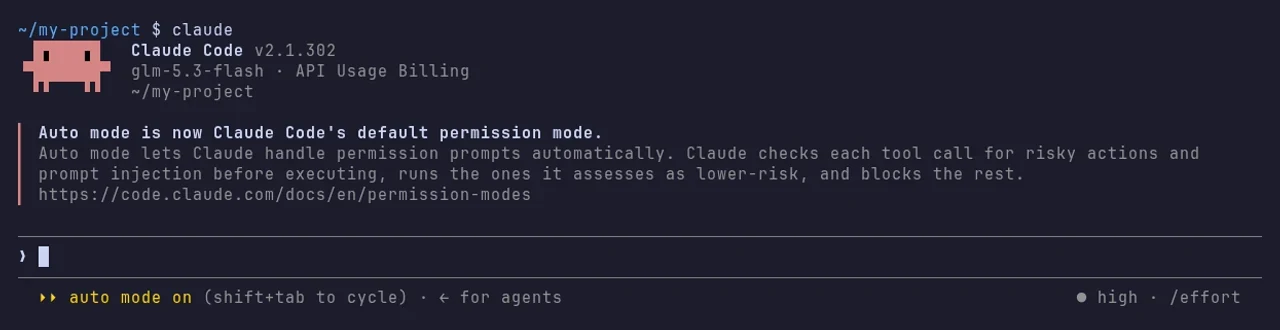
The header names the model, glm-5.3-flash, and API Usage Billing: it is running on your AxForge key, not an Anthropic login.
-
Give it a task
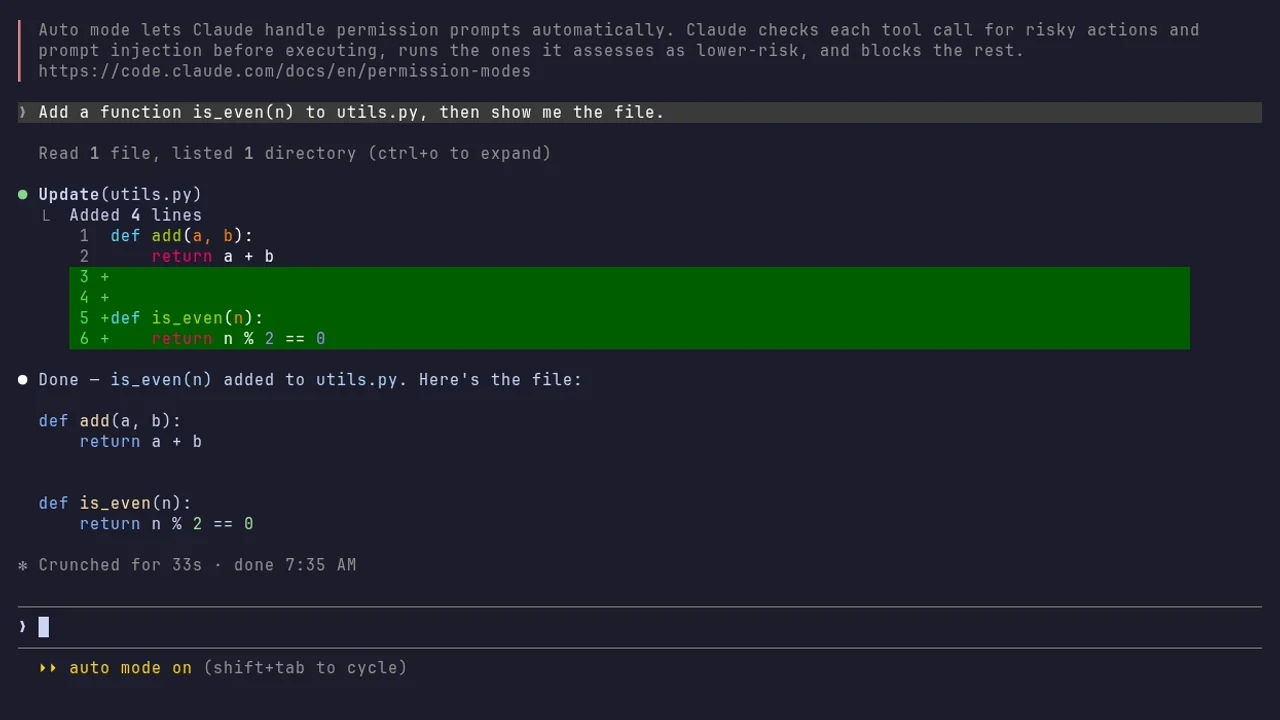
Ask in plain words. It reads your files, changes them and tells you what it did.
The settings
| Setting | Value |
|---|---|
| ANTHROPIC_BASE_URL | https://api.axforge.ai |
| ANTHROPIC_AUTH_TOKEN | your AxForge key |
| ANTHROPIC_MODEL | glm-5.3-flash, qwen3.8-27b-nvfp4 or mimo-v2.6-flash |
| ANTHROPIC_DEFAULT_HAIKU_MODEL | mimo-v2.6-flash (its quick background work) |
| CLAUDE_CODE_MAX_CONTEXT_TOKENS | 262144 |
All three models work with Claude Code (tried 2026-10-17). glm-5.3-flash plans before it acts (the
task above took 33 seconds), qwen3.8-27b-nvfp4 is the everyday default and reads images,
mimo-v2.6-flash is the fastest. Which model for
what.
Only for one terminal
The same settings as environment variables, instead of the file:
export ANTHROPIC_BASE_URL=https://api.axforge.ai
export ANTHROPIC_AUTH_TOKEN="$AXFORGE_API_KEY"
export ANTHROPIC_MODEL=glm-5.3-flash
export ANTHROPIC_DEFAULT_HAIKU_MODEL=mimo-v2.6-flash
export CLAUDE_CODE_MAX_CONTEXT_TOKENS=262144
claude
$env:ANTHROPIC_BASE_URL = "https://api.axforge.ai"
$env:ANTHROPIC_AUTH_TOKEN = $env:AXFORGE_API_KEY
$env:ANTHROPIC_MODEL = "glm-5.3-flash"
$env:ANTHROPIC_DEFAULT_HAIKU_MODEL = "mimo-v2.6-flash"
$env:CLAUDE_CODE_MAX_CONTEXT_TOKENS = "262144"
claudeThe Claude Code extension for VS Code reads the same ~/.claude/settings.json.
Check that it works
The header says API Usage Billing and the model you set, and a task gets done. The calls show in the console under API Keys → Recent calls within a minute.
When it does not work
| What you see | What it means | Fix |
|---|---|---|
| "Not logged in · Please run /login" | it did not find the key | check ANTHROPIC_AUTH_TOKEN in the file or the terminal, then start it again |
| "doesn't recognize the model … assumes 200k" | it does not know our models' size | set CLAUDE_CODE_MAX_CONTEXT_TOKENS to 262144 |
[claude-code:unrecognized_model] | Claude Code does not know model names other than Anthropic's | nothing: it is a notice, and it runs |
| "There's an issue with the selected model" | the base URL ends in /v1 | use https://api.axforge.ai, without /v1 |
401 | the key was refused | paste it again, whole, or make a new one |