Connect → Cline
Use AxForge with Cline
Cline is a coding agent that lives in VS Code's side bar: it reads your project, edits files and runs commands. Its OpenAI Compatible provider points it at AxForge.
- An AxForge API key. Get one (a minute).
- VS Code with the Cline extension (search Cline under Extensions). This guide was tried with Cline 4.1.25 in VS Code 1.141 on 2026-10-17.
Set it up
-
Bring your own key
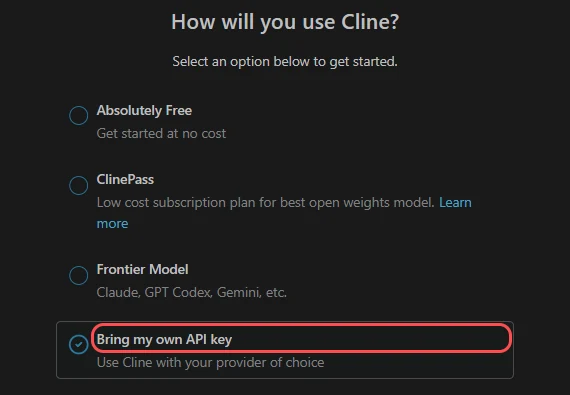
Open Cline from its icon in the side bar. It asks how you will use it: choose Bring my own API key and press Continue.
-
Choose OpenAI Compatible
In API Provider, type
OpenAIand pick OpenAI Compatible.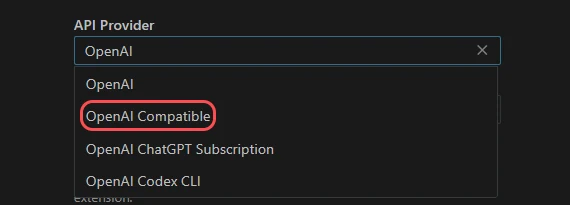
-
Address, model, key
Fill them in this order: Base URL
https://api.axforge.ai/v1, Model IDqwen3.8-27b, then your key in OpenAI Compatible API Key. With the key in, Cline reads our model list and shows your model in it.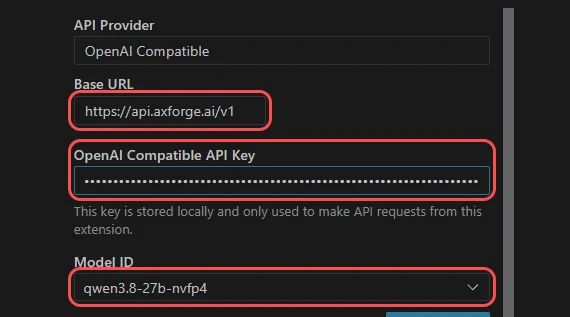
Type the model before the key. On this first screen, a model picked from the list after the key did not stick in our try: Cline kept its default
gpt-4o. -
Tell it the model's size
Open Model Configuration and set Context Window Size to
262144(Cline assumes 128000). Leave Supports Images on forqwen3.8-27b. Then press Continue.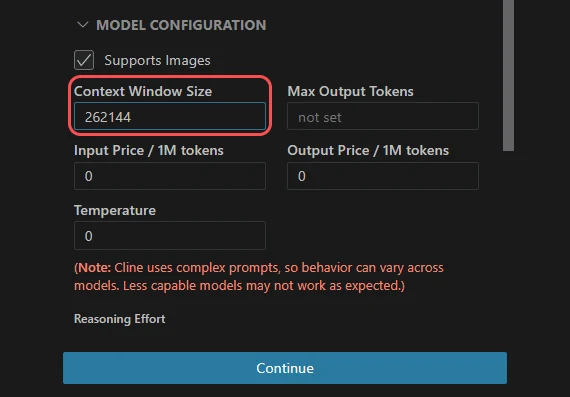
-
Give it a task
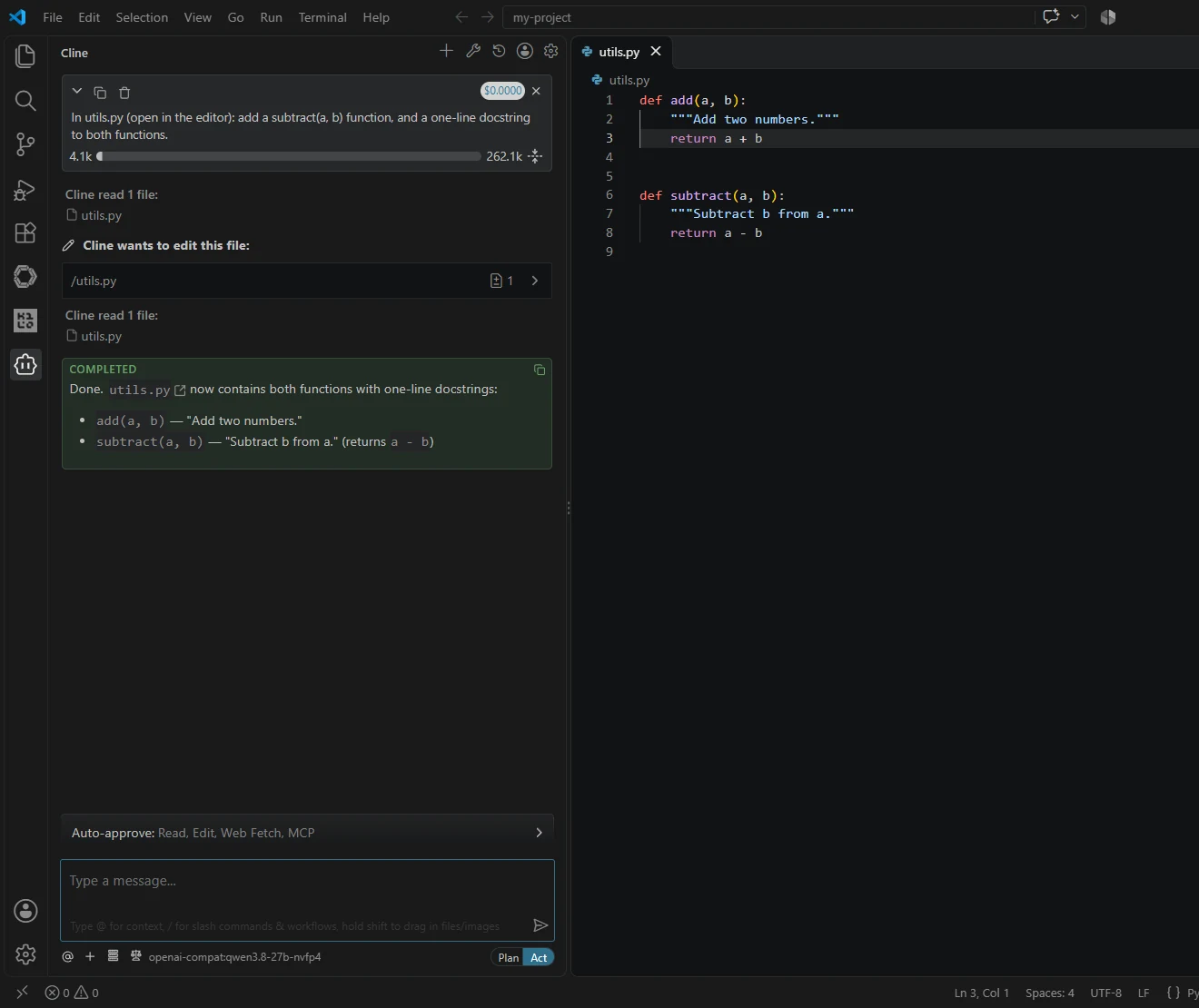
Ask in plain words. Cline reads and edits files on its own (both are on in Auto-approve) and asks before it runs a command: press Run Command or Reject.
The settings
| Field | Value |
|---|---|
| API Provider | OpenAI Compatible |
| Base URL | https://api.axforge.ai/v1 |
| API Key | your AxForge key |
| Model ID | qwen3.8-27b, glm-5.3-flash or mimo-v2.6-flash |
| Context Window Size | 262144 |
| Supports Images | on for qwen3.8-27b only |
Which model for what: qwen3.8-27b is the
everyday default and reads images, glm-5.3-flash thinks before it answers,
mimo-v2.6-flash is the fastest. Change it later under the gear at the top of Cline's panel.
Cline's cost counter stays at $0: it only knows the prices typed in its Model Configuration. What you really used is in the console.
Check that it works
Under the message box it says openai-compat:qwen3.8-27b, and a task gets done. The calls show in the console under API Keys → Recent calls within a minute.
When it does not work
Not sure which it is? The connection doctor makes seven small
checks on your key and names the fix: irm https://dev.axforge.ai/assets/axforge-doctor.ps1 | iex in
PowerShell, curl -fsSL https://dev.axforge.ai/assets/axforge-doctor.sh | bash on macOS and Linux.
| What you see | What it means | Fix |
|---|---|---|
| openai-compat:gpt-4o under the message box | the model did not stick | open the gear at the top of Cline's panel and set the Model ID again |
| "Invalid API key. Create one at https://console.axforge.ai/keys." | the key was refused | paste it again, whole, or make a new one |
| The model list does not load | the Base URL | it is https://api.axforge.ai/v1, with /v1 and nothing after it |
Test a call says in one click whether a problem is your key, your balance or us.