Connect → Codex CLI
Use AxForge with Codex CLI
Codex CLI is OpenAI's coding agent for the terminal. It speaks the Responses API, and AxForge serves that too. Add AxForge as a provider in its config file and it runs on your key.
- An AxForge API key. Get one (a minute).
- Node.js 18 or newer. This guide was tried with Codex CLI 0.163.0 on 2026-10-17.
Set it up
-
Install Codex
npm install -g @openai/codex -
Add AxForge to its config
Create
~/.codex/config.toml(on Windows%USERPROFILE%\.codex\config.toml):model = "qwen3.8-27b-nvfp4" model_provider = "axforge" model_context_window = 262144 [model_providers.axforge] name = "AxForge" base_url = "https://api.axforge.ai/v1" env_key = "AXFORGE_API_KEY" wire_api = "responses"The file holds no key:
env_keytells Codex to read it from theAXFORGE_API_KEYenvironment variable.model_context_windowtells it that our models read 262,144 tokens at once, so it shortens a long session before it reaches that.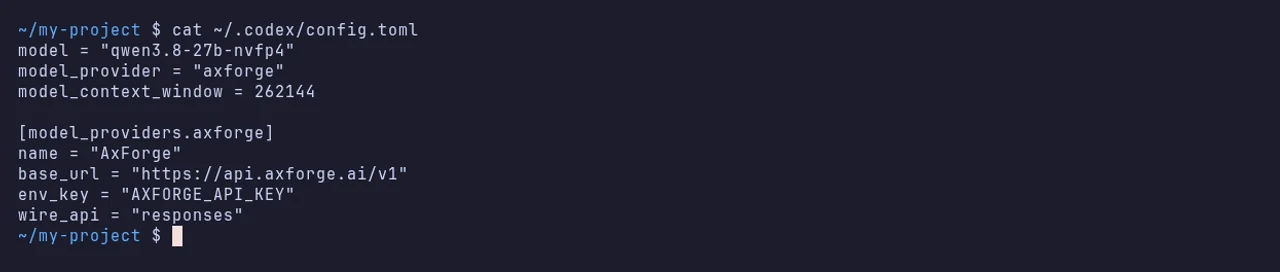
-
Put your key in the environment
export AXFORGE_API_KEY="orx_live_your_key_here"$env:AXFORGE_API_KEY = "orx_live_your_key_here"It lasts until you close this terminal. Start Codex from the same one.
-
Start it in your project
cd my-project
codex
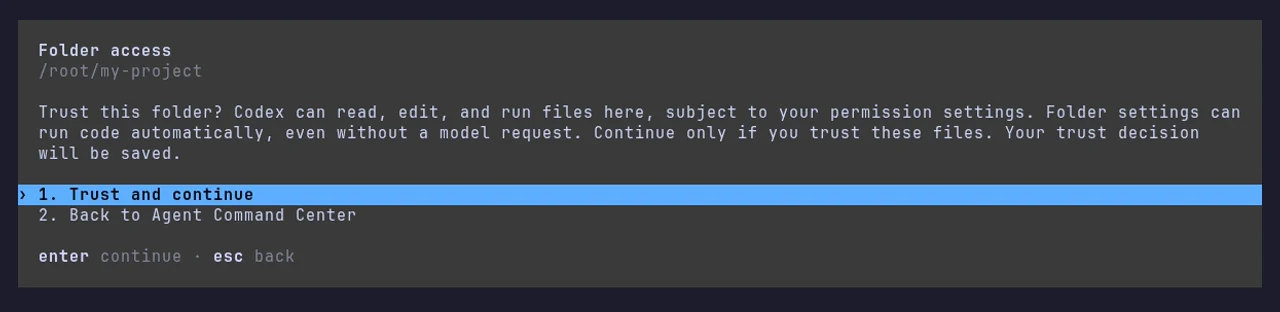
The first time in a folder it asks whether you trust it. Trust and continue lets it read and change the files there.
-
Give it a task
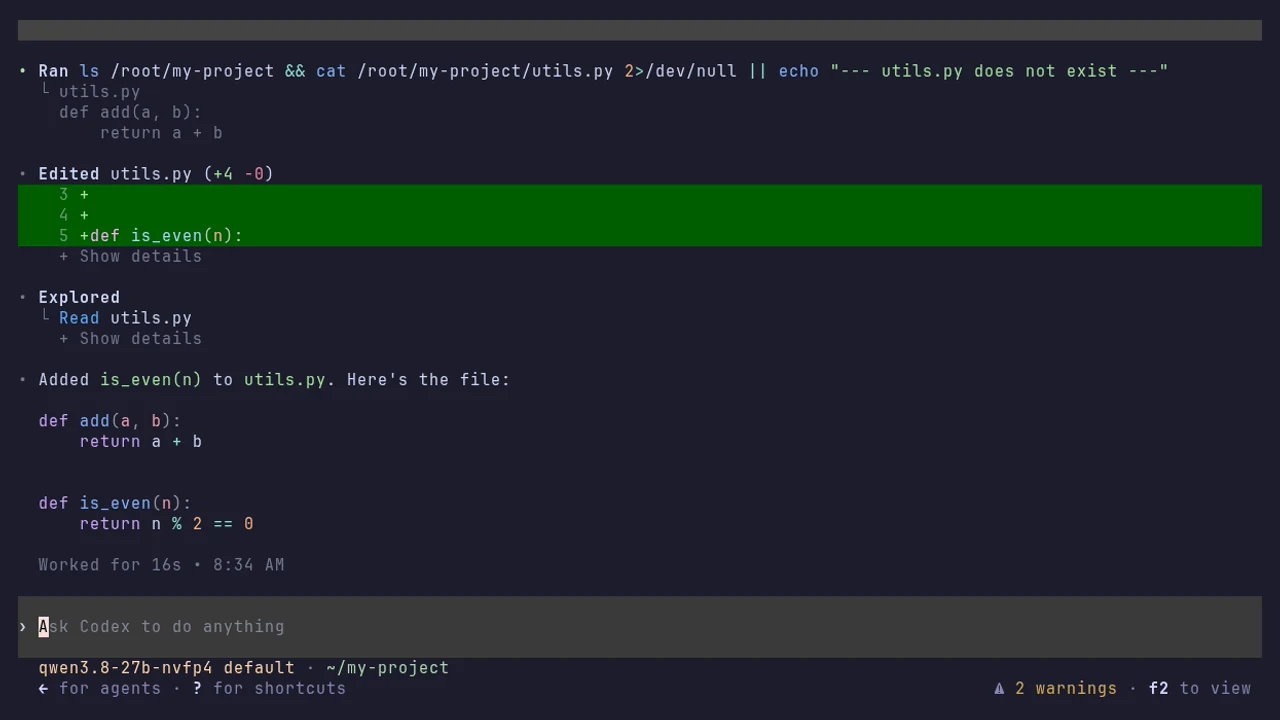
Ask in plain words. The line under the message box names the model it runs on.
The settings
| Setting | Value |
|---|---|
| base_url | https://api.axforge.ai/v1 |
| wire_api | responses |
| env_key | AXFORGE_API_KEY (the variable that holds your key) |
| model_context_window | 262144 |
| model | qwen3.8-27b-nvfp4, glm-5.3-flash or mimo-v2.6-flash |
Which model for what: qwen3.8-27b-nvfp4 is the
everyday default and reads images, glm-5.3-flash thinks before it answers,
mimo-v2.6-flash is the fastest. To try another one for a single run:
codex -m glm-5.3-flash.
Check that it works
The line under the message box names your model and a task gets done. The calls show in the console under API Keys → Recent calls within a minute.
When it does not work
| What you see | What it means | Fix |
|---|---|---|
"Missing environment variable: AXFORGE_API_KEY" | the key is not in this terminal | set it as in step 3, in the same terminal, then start Codex again |
"Model metadata for qwen3.8-27b-nvfp4 not found" | Codex knows only OpenAI's model names | nothing: it is a warning, and it runs |
| "unexpected status 401 Unauthorized: Invalid API key. Create one at https://console.axforge.ai/keys." | the key was refused | paste it again, whole, or make a new one |
Test a call says in one click whether a problem is your key, your balance or us.