Connect → n8n
Use AxForge with n8n
n8n builds automations out of nodes. Its OpenAI credential takes a Base URL, so every OpenAI node in your workflows (chat models, AI agents) can run on AxForge.
- An AxForge API key. Get one (a minute).
- n8n, on n8n Cloud or your own machine. This guide was tried with n8n 2.43.7 on 2026-10-17, started with Docker:
docker run -it --rm -p 5678:5678 -v n8n_data:/home/node/.n8n docker.n8n.io/n8nio/n8nSet it up
-
Make an OpenAI credential for AxForge
In n8n go to Credentials → Create credential, choose OpenAI. Paste your key in API Key and change Base URL to
https://api.axforge.ai/v1. Press Save.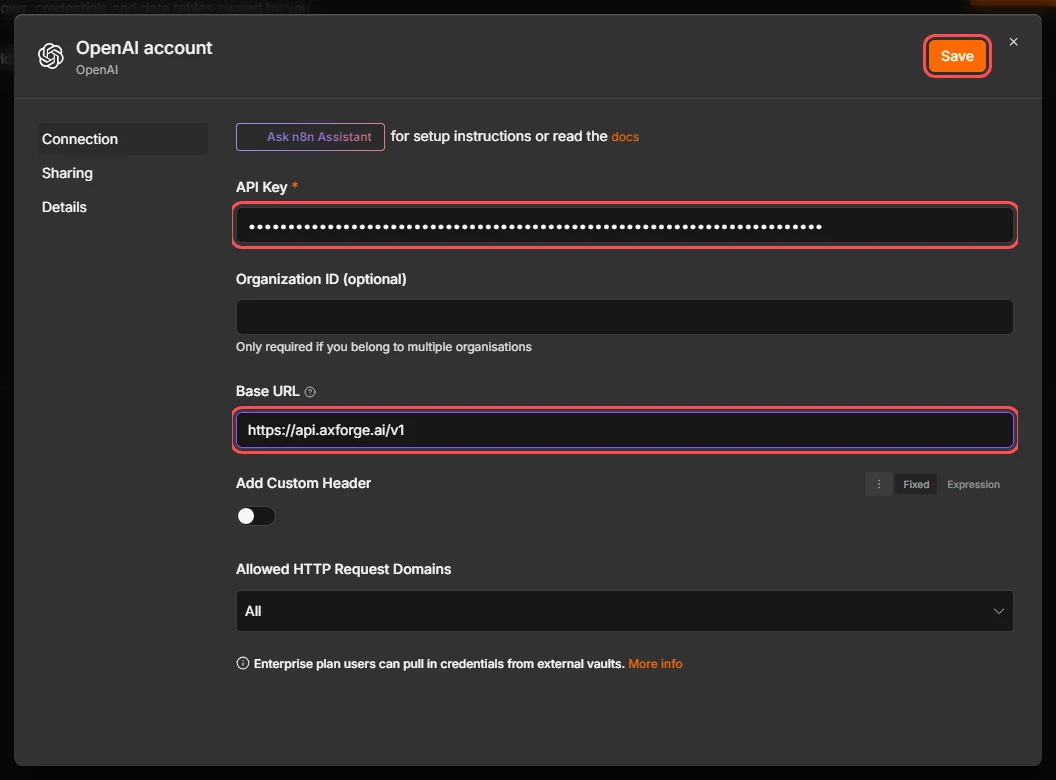
-
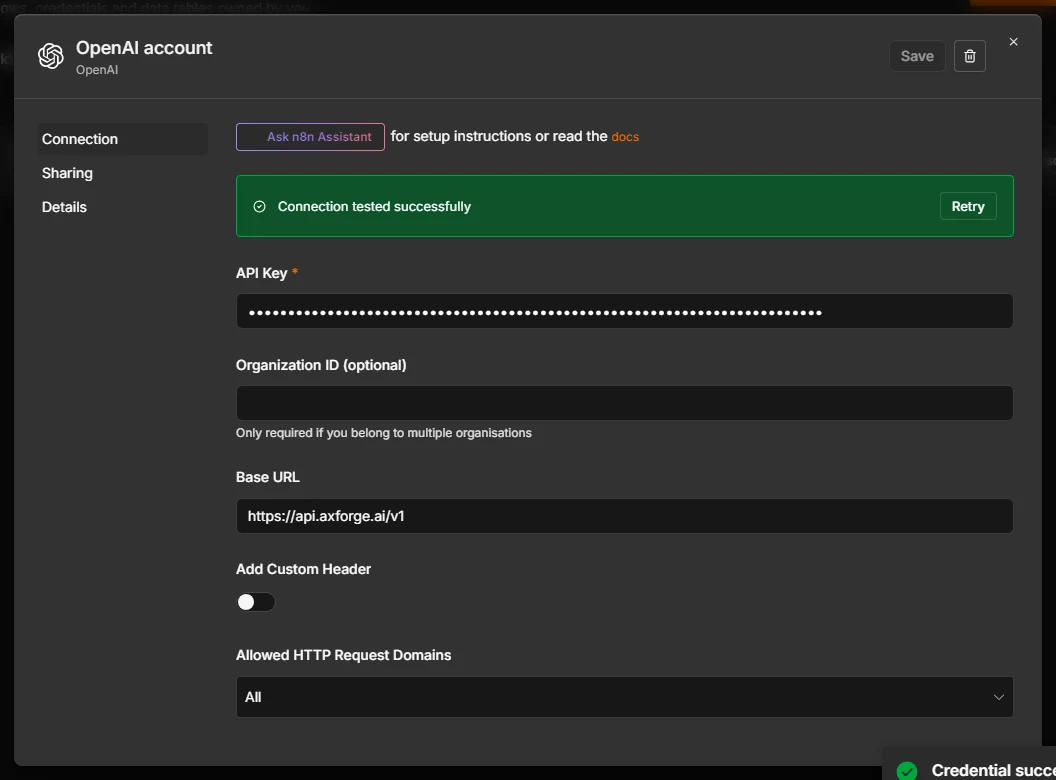
n8n tests it
On save, n8n calls AxForge with the key. Connection tested successfully means it works.
-
Build a chat workflow
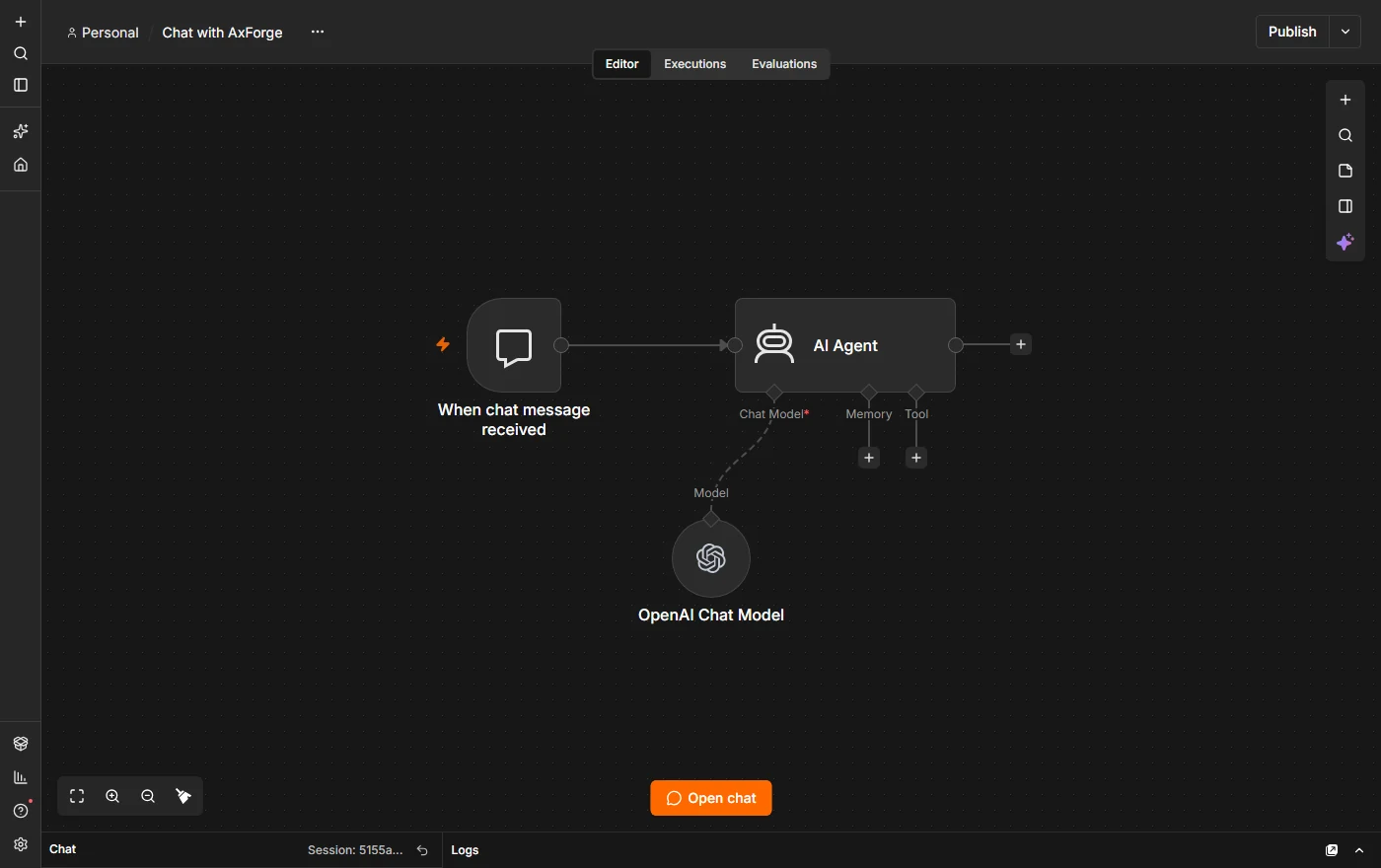
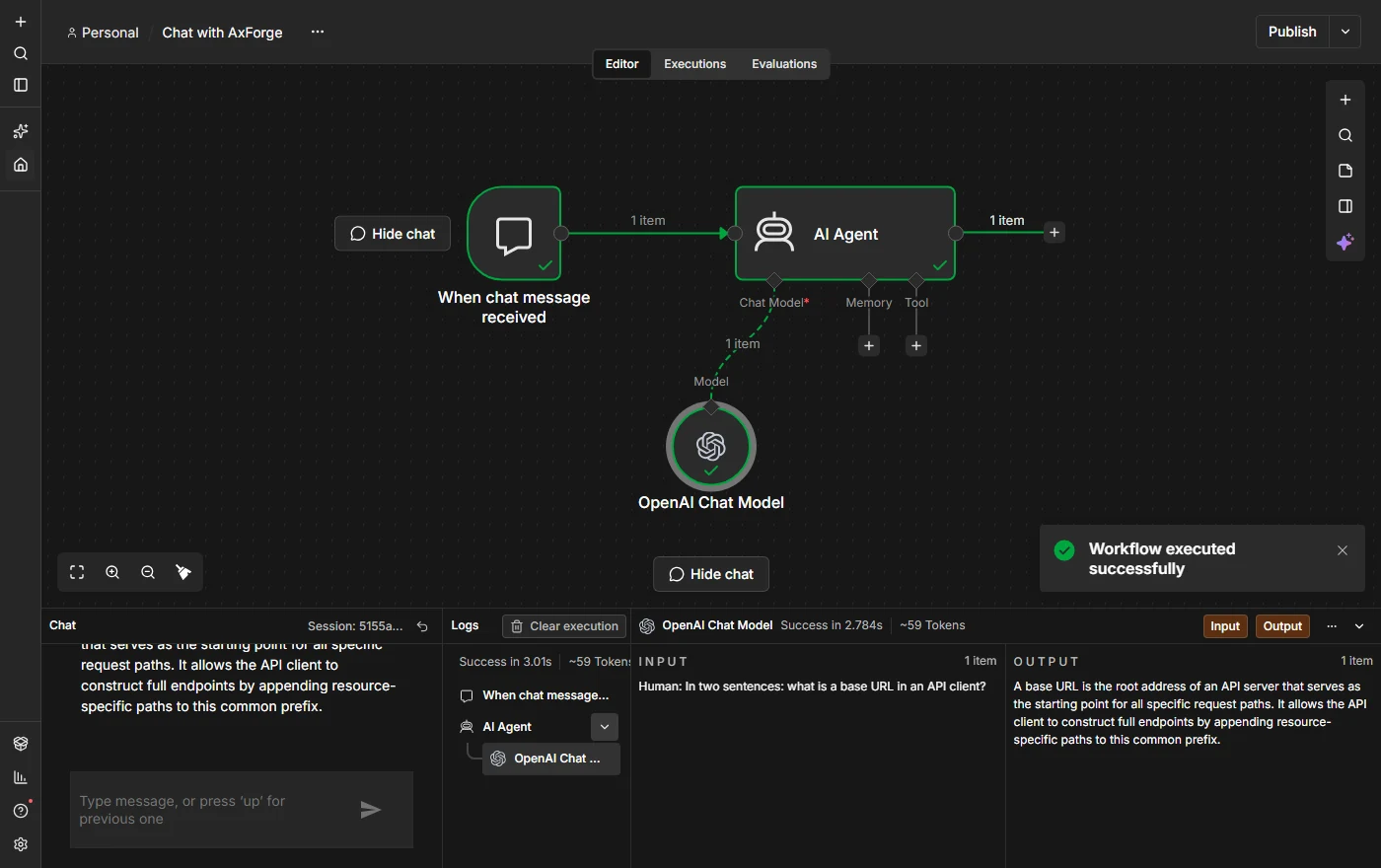
In a new workflow add the trigger When chat message received, then an AI Agent node. On the agent's Chat Model connector add OpenAI Chat Model.
-
Choose the credential and the model
Open the OpenAI Chat Model node. Credential: the one from step 1. Model: n8n lists our models; pick
qwen3.8-27b-nvfp4. Use Responses API may stay on: AxForge serves that API too.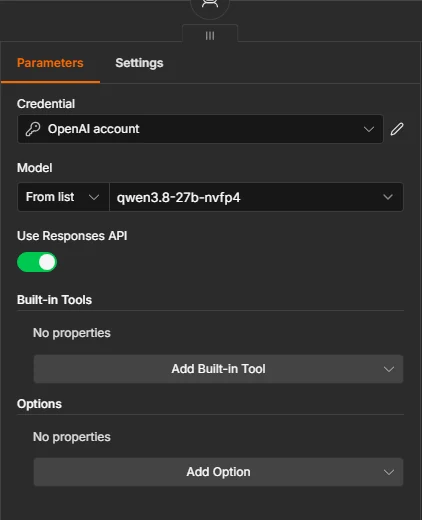
-
Open the chat and ask
Press Open chat under the canvas and type a question. The answer comes from AxForge, and the log beside it shows each step.
The settings
| Field | Value |
|---|---|
| Credential type | OpenAI |
| API Key | your AxForge key |
| Base URL | https://api.axforge.ai/v1 |
| Model | qwen3.8-27b-nvfp4, glm-5.3-flash or mimo-v2.6-flash |
Which model for what: qwen3.8-27b-nvfp4 is the
everyday default and reads images, glm-5.3-flash thinks before it answers,
mimo-v2.6-flash is the fastest. The same credential works in n8n's other OpenAI nodes.
Check that it works
The credential says Connection tested successfully, the model list shows our models, and the chat gets an answer. The calls show in the console under API Keys → Recent calls within a minute.
When it does not work
| What you see | What it means | Fix |
|---|---|---|
| "Couldn't connect with these settings" | the Base URL or the key | the URL is https://api.axforge.ai/v1; paste the key again, whole |
| OpenAI's models in the model list | the node uses another credential | choose the AxForge credential in the node |
| The test chat does not answer on a self-hosted n8n | n8n's own address is not the one in your browser | start it with WEBHOOK_URL set to the address you open it on |
Test a call says in one click whether a problem is your key, your balance or us.