Connect → LangChain
Use AxForge with LangChain
LangChain builds chains and agents around a
chat model. Its ChatOpenAI class takes a base URL, so an AxForge model drops in wherever a model goes:
chains, tools, agents, LangGraph.
Before you start
- An AxForge API key, in the environment variable
AXFORGE_API_KEY. Get one (a minute). - Python 3.10 or newer. Run with langchain-openai 1.7.2 (langchain-core 1.6.12) on 2026-10-17.
Set it up
-
Install the OpenAI package for LangChain
pip install langchain-openai -
Point ChatOpenAI at AxForge
import os from langchain_openai import ChatOpenAI llm = ChatOpenAI( base_url="https://api.axforge.ai/v1", api_key=os.environ["AXFORGE_API_KEY"], model="qwen3.8-27b-nvfp4", ) print(llm.invoke("Say hello in five words").content) -
Run it
python hello.py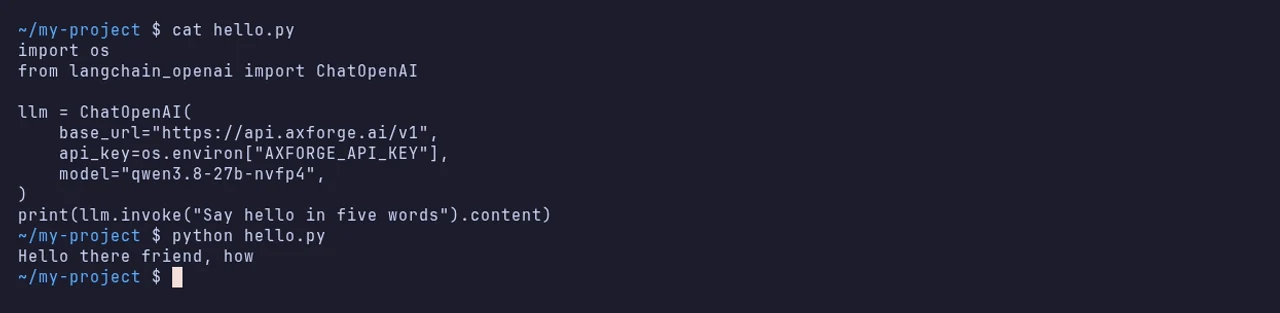
From here llm is a LangChain chat model like any other: llm.stream(...),
llm.bind_tools([...]), or pass it to an agent.
The settings
| Argument | Value |
|---|---|
| base_url | https://api.axforge.ai/v1 |
| api_key | your AxForge key |
| model | qwen3.8-27b-nvfp4, glm-5.3-flash or mimo-v2.6-flash |
Which model for what: qwen3.8-27b-nvfp4 is the
everyday default and reads images, glm-5.3-flash thinks before it answers,
mimo-v2.6-flash is the fastest. All three can call tools.
Check that it works
The script prints an answer. The call shows in the console under API Keys → Recent calls within a minute.
When it does not work
| What you see | What it means | Fix |
|---|---|---|
AuthenticationError, 401 "Invalid API key. Create one at https://console.axforge.ai/keys." | the key was refused | check AXFORGE_API_KEY holds the whole key, or make a new one |
KeyError: 'AXFORGE_API_KEY' | the variable is not set in this terminal | set it as on Get your API key |
NotFoundError, 404 | the base URL has no /v1 | use https://api.axforge.ai/v1 |
Test a call says in one click whether a problem is your key, your balance or us.