Connect → Kilo Code
Use AxForge with Kilo Code
Kilo Code is a coding agent for VS Code. Add AxForge as a Custom provider in its settings: Kilo reads our model list, you tick the models, and they show in its model picker.
- An AxForge API key. Get one (a minute).
- VS Code with the Kilo Code extension (search Kilo Code under Extensions). This guide was tried with Kilo Code 7.8.12 in VS Code 1.141 on 2026-10-17.
Set it up
-
Open Providers
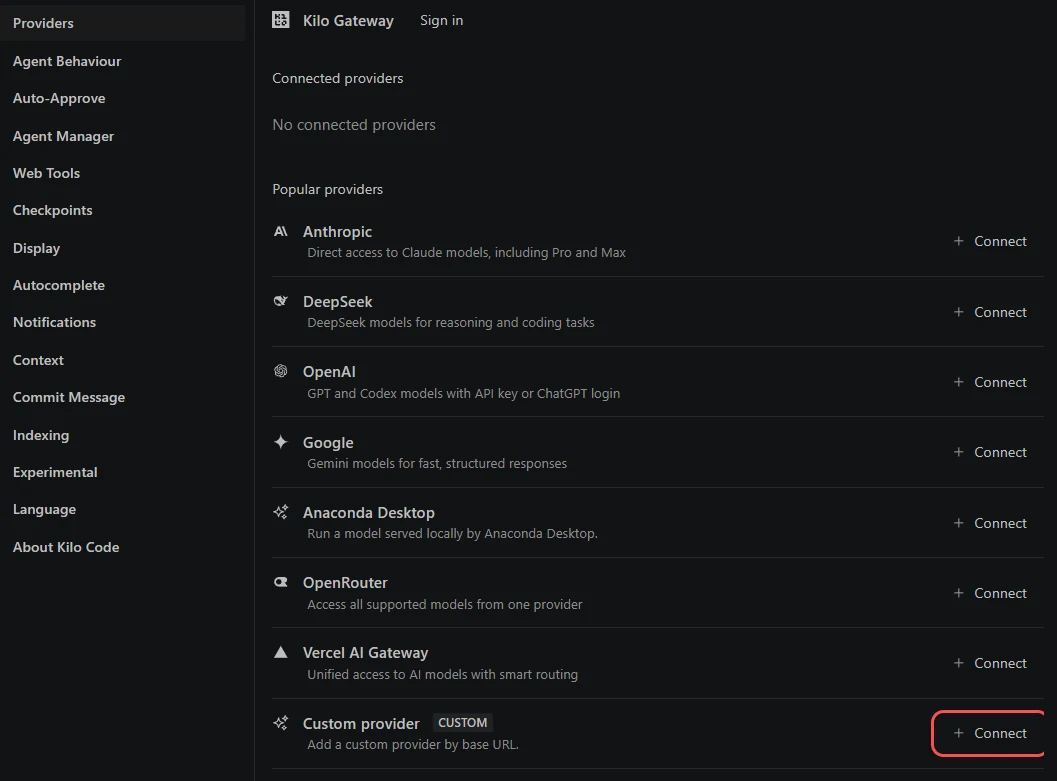
Open Kilo Code from its icon in the side bar (the first time it asks how you want to work: either choice is fine). Click the gear above its panel, then Providers. At Custom provider, press Connect.
-
Describe AxForge
Provider ID
axforge, Display nameAxForge, Provider API OpenAI Compatible, Base URLhttps://api.axforge.ai/v1, and your key in API key (it shows as dots).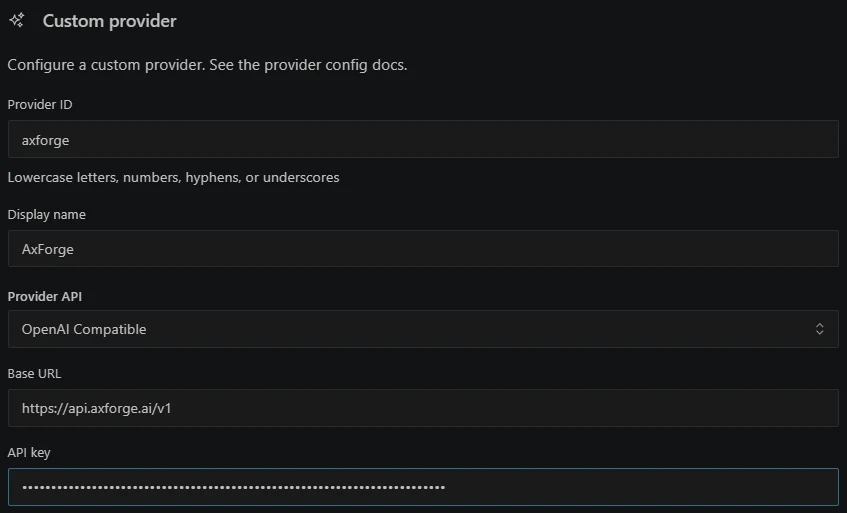
-
Pick the models from our list
With the address and key in, Kilo reads our model list and ticks all of it. Press Deselect all, then tick
qwen3.8-27b-nvfp4,glm-5.3-flashandmimo-v2.6-flash(type a name in the search box to find it) and press Add 3 model(s). The rest of the list are short aliases and our image, speech, embedding and OCR models, which a coding agent does not use.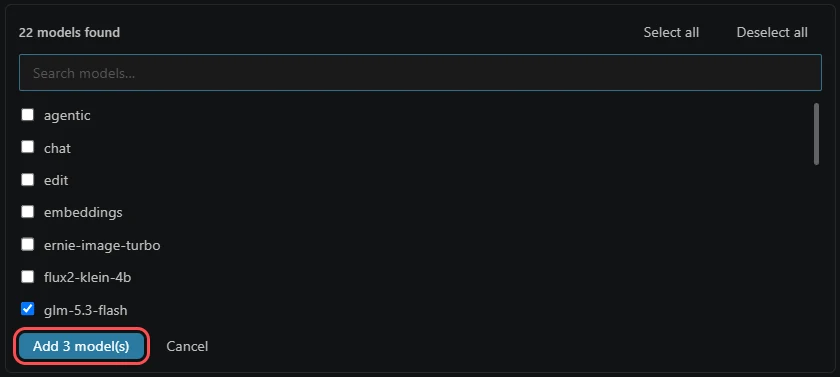
-
Submit
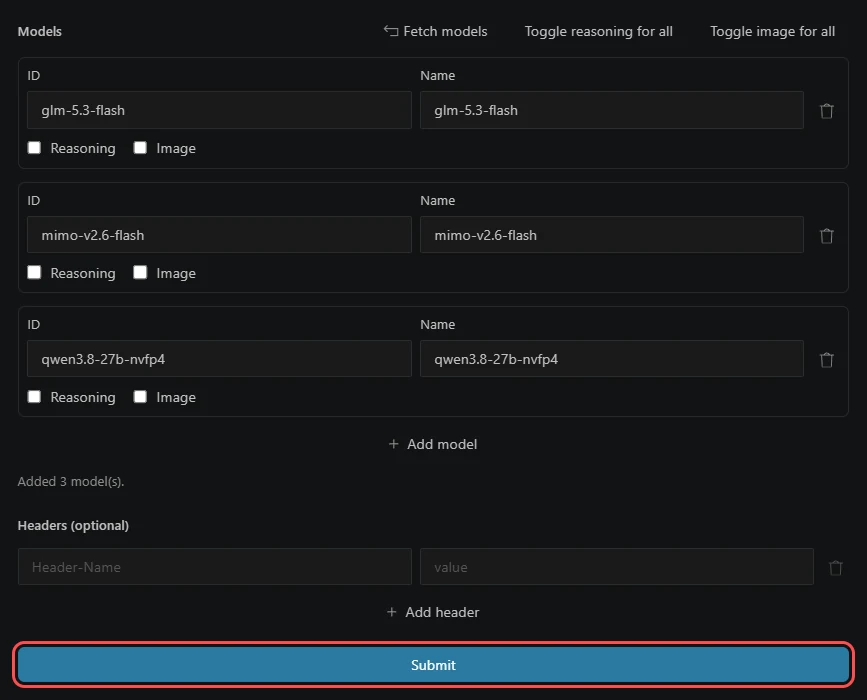
The three models are now rows of the provider. Press Submit.
-
Tell Kilo the models' size
The form has no field for it. In Kilo's settings press Global Config (top right): it opens
~/.config/kilo/kilo.jsonc, where Submit saved the provider (the key is kept apart). Give each model alimitand save:"models": { "glm-5.3-flash": { "name": "glm-5.3-flash", "limit": { "context": 262144, "output": 16384 } }, "mimo-v2.6-flash": { "name": "mimo-v2.6-flash", "limit": { "context": 262144, "output": 16384 } }, "qwen3.8-27b-nvfp4": { "name": "qwen3.8-27b-nvfp4", "limit": { "context": 262144, "output": 16384 } } }Our models read 262,144 tokens at once. With the limit, Kilo shows it beside each chat and shortens a long session before it reaches that.
-
Pick the model in the chat
Click the model name under the message box, type
qwen3.8-27b-nvfp4and press Select.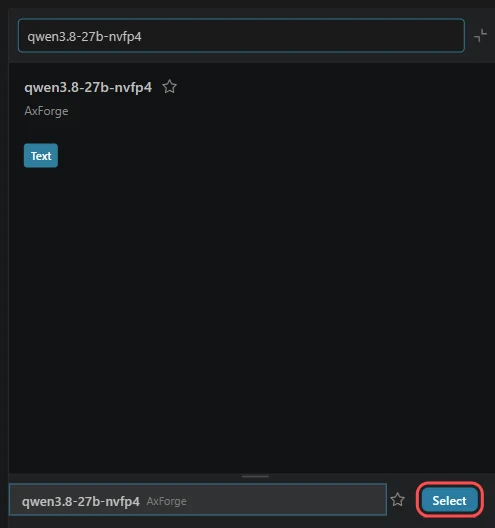
-
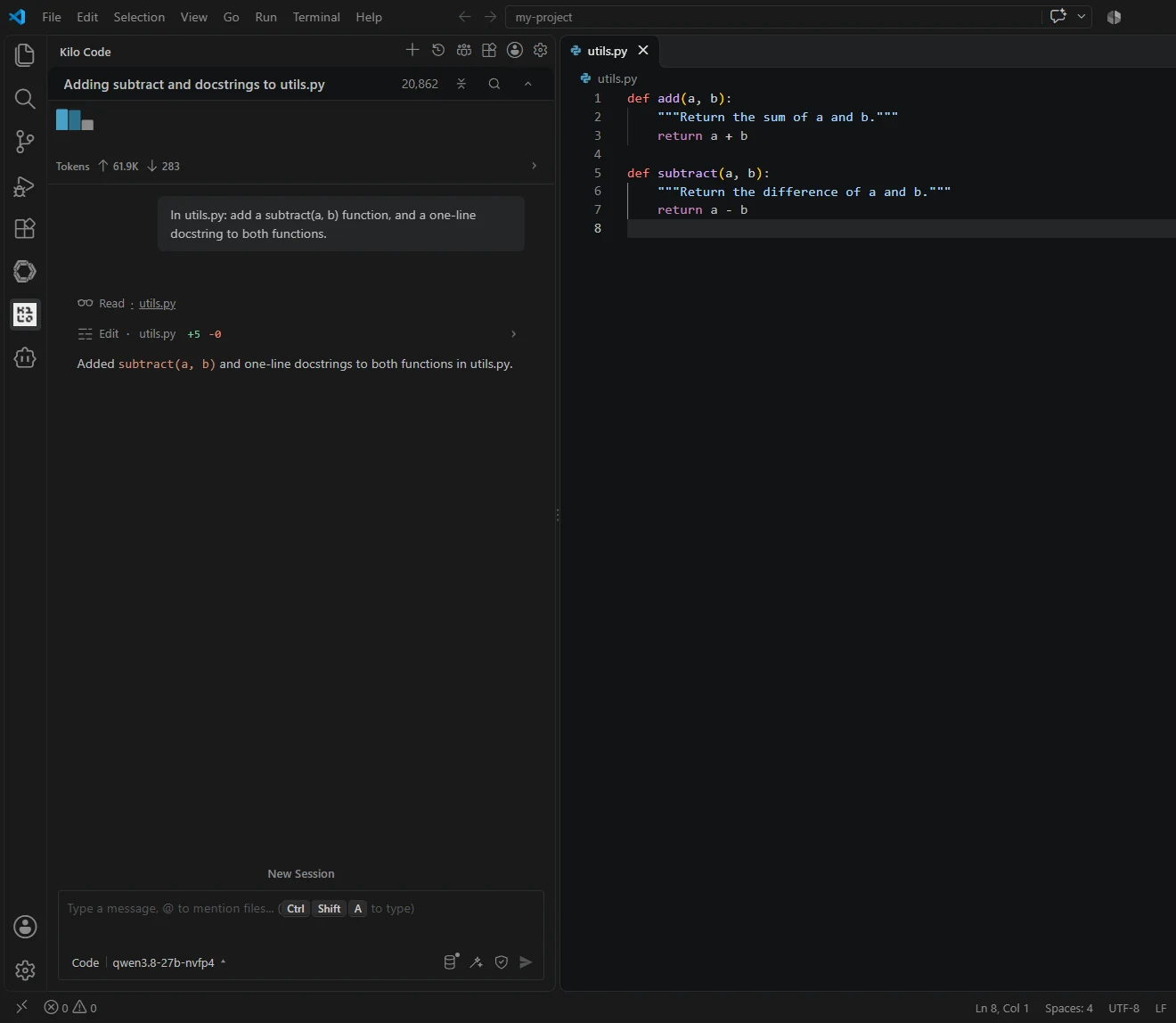
Give it a task
Ask in plain words. Kilo reads the file, edits it and says what it did.
The settings
| Field | Value |
|---|---|
| Provider ID · Display name | axforge · AxForge |
| Provider API | OpenAI Compatible |
| Base URL | https://api.axforge.ai/v1 |
| API key | your AxForge key |
| Models | qwen3.8-27b-nvfp4, glm-5.3-flash, mimo-v2.6-flash |
| limit (each model, in kilo.jsonc) | context 262144, output 16384 |
Which model for what: qwen3.8-27b-nvfp4 is the
everyday default and reads images, glm-5.3-flash thinks before it answers,
mimo-v2.6-flash is the fastest.
Check that it works
Under the message box it says qwen3.8-27b-nvfp4, and a task gets done. The calls show in the console under API Keys → Recent calls within a minute.
When it does not work
| What you see | What it means | Fix |
|---|---|---|
| Auto Free under the message box | Kilo is on its own free models, not on AxForge | pick qwen3.8-27b-nvfp4 as in step 6 |
| No providers under the message box | the provider was not saved | open it again in Providers and press Submit |
| No models found | the Base URL or the key | the URL is https://api.axforge.ai/v1; paste the key again, whole |
| "Invalid API key. Create one at https://console.axforge.ai/keys." | the key was refused | make a new key in the console and paste it |
Test a call says in one click whether a problem is your key, your balance or us.