Connect → Vercel AI SDK
Use AxForge with the Vercel AI SDK
The AI SDK is the TypeScript toolkit for AI in
web apps and on the server. Its OpenAI-compatible provider points it at AxForge, and
generateText, streamText and the rest work as usual.
- An AxForge API key, in the environment variable
AXFORGE_API_KEY. Get one (a minute). - Node.js 18 or newer. Run with ai 7.0.143 and @ai-sdk/openai-compatible 3.0.71 on 2026-10-17.
Set it up
-
Install the SDK and the provider
npm install ai @ai-sdk/openai-compatible -
Make an AxForge provider
import { createOpenAICompatible } from "@ai-sdk/openai-compatible"; import { generateText } from "ai"; const axforge = createOpenAICompatible({ name: "axforge", baseURL: "https://api.axforge.ai/v1", apiKey: process.env.AXFORGE_API_KEY, }); const { text } = await generateText({ model: axforge("qwen3.8-27b"), prompt: "Say hello in five words" }); console.log(text); -
Run it
node hello.mjs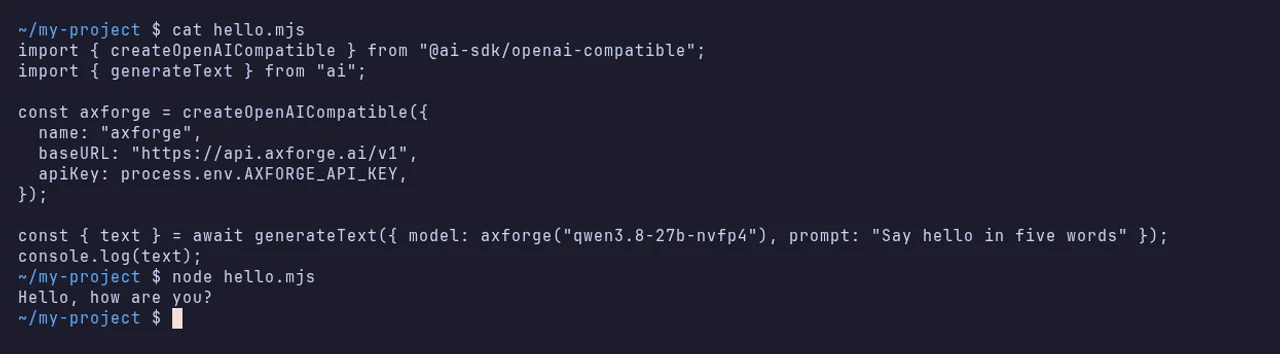
Streaming
import { streamText } from "ai";

const result = streamText({ model: axforge("qwen3.8-27b"), prompt: "Count to five" });
for await (const part of result.textStream) process.stdout.write(part);
With axforge made as above. In a web app, hand the stream to the page the way the AI SDK's own
docs show: nothing in that part changes for AxForge.
The settings
| createOpenAICompatible | Value |
|---|---|
| name | axforge (your choice) |
| baseURL | https://api.axforge.ai/v1 |
| apiKey | your AxForge key |
| model | axforge("qwen3.8-27b"), "glm-5.3-flash" or "mimo-v2.6-flash" |
Which model for what: qwen3.8-27b is the
everyday default and reads images, glm-5.3-flash thinks before it answers,
mimo-v2.6-flash is the fastest.
Keep the key on the server. In a browser bundle it would be public.
Check that it works
The script prints an answer. The call shows in the console under API Keys → Recent calls within a minute.
When it does not work
Not sure which it is? The connection doctor makes seven small
checks on your key and names the fix: irm https://dev.axforge.ai/assets/axforge-doctor.ps1 | iex in
PowerShell, curl -fsSL https://dev.axforge.ai/assets/axforge-doctor.sh | bash on macOS and Linux.
| What you see | What it means | Fix |
|---|---|---|
| "Invalid API key. Create one at https://console.axforge.ai/keys." | the key was refused, or AXFORGE_API_KEY is empty | set the variable in the terminal that runs node, the key whole |
| 404 Not Found | the base URL has no /v1 | use https://api.axforge.ai/v1 |
Test a call says in one click whether a problem is your key, your balance or us.