Connect → OpenAI SDK and curl
Use AxForge with the OpenAI SDK and curl
The official OpenAI SDKs take a base URL. Set it to https://api.axforge.ai/v1, use
your AxForge key, and the rest of your code stays as it is: chat, streaming, tools, embeddings.
- An AxForge API key, in the environment variable
AXFORGE_API_KEY. Get one (a minute). - Python 3.9 or newer, or Node.js 18 or newer. Run with openai 2.54.0 (Python) and openai 7.36.0 (Node) on 2026-10-17.
The first call
-
Python
pip install openaiimport os from openai import OpenAI client = OpenAI(base_url="https://api.axforge.ai/v1", api_key=os.environ["AXFORGE_API_KEY"]) reply = client.chat.completions.create( model="qwen3.8-27b", messages=[{"role": "user", "content": "Say hello in five words"}], ) print(reply.choices[0].message.content)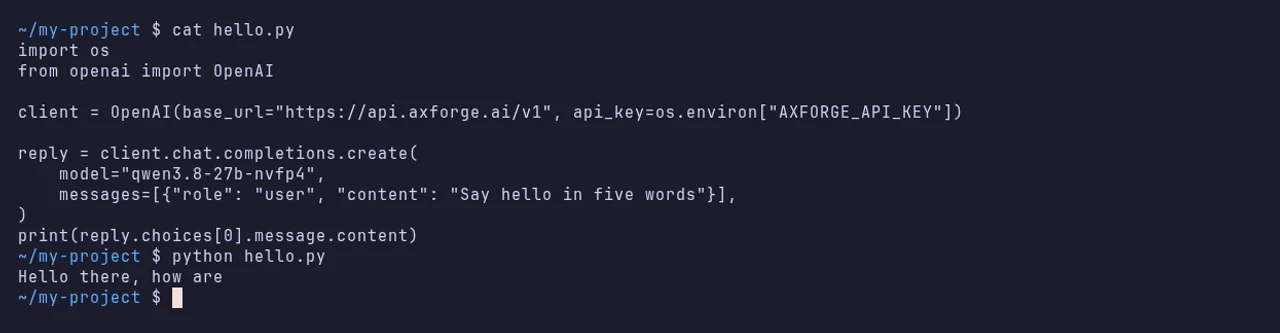
-
Node
npm install openaiimport OpenAI from "openai"; const client = new OpenAI({ baseURL: "https://api.axforge.ai/v1", apiKey: process.env.AXFORGE_API_KEY }); const reply = await client.chat.completions.create({ model: "qwen3.8-27b", messages: [{ role: "user", content: "Say hello in five words" }], }); console.log(reply.choices[0].message.content);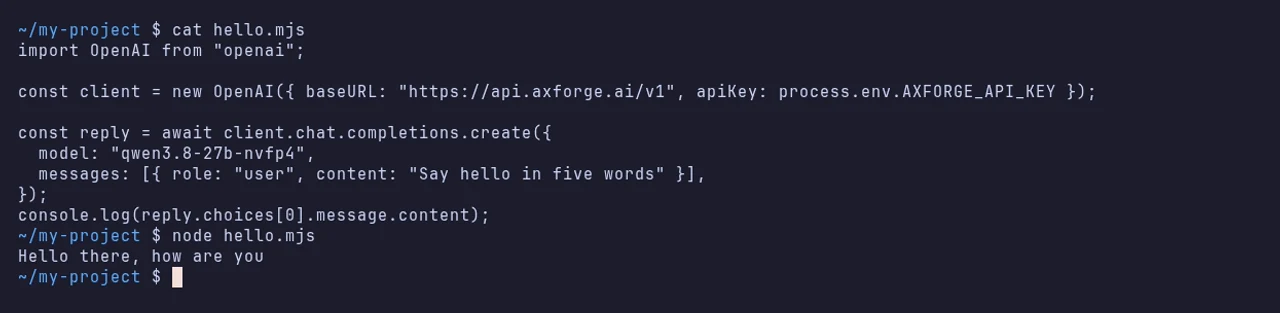
-
curl
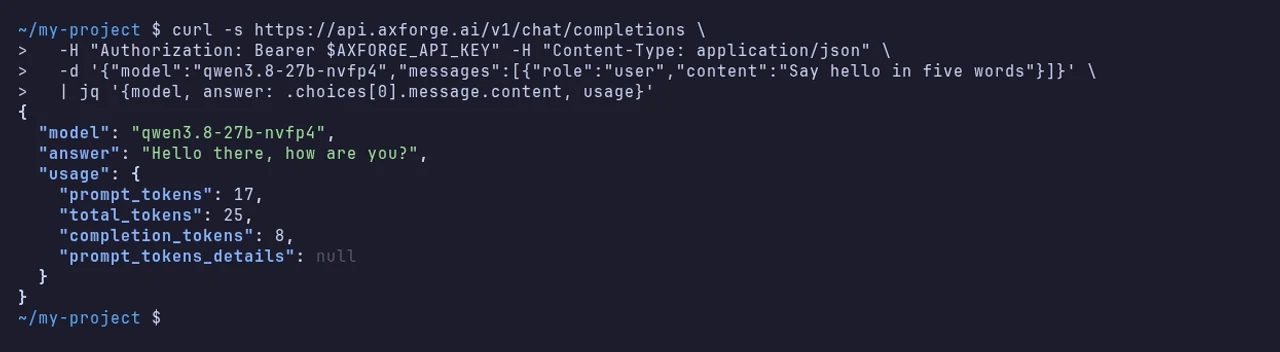
No SDK at all: the same call as plain HTTP.
curl https://api.axforge.ai/v1/chat/completions \
  -H "Authorization: Bearer $AXFORGE_API_KEY" \
  -H "Content-Type: application/json" \
  -d '{"model":"qwen3.8-27b","messages":[{"role":"user","content":"Say hello in five words"}]}'
$call = @{ Method = "Post" Uri = "https://api.axforge.ai/v1/chat/completions" Headers = @{ Authorization = "Bearer $env:AXFORGE_API_KEY" } ContentType = "application/json" Body = '{"model":"qwen3.8-27b","messages":[{"role":"user","content":"Say hello in five words"}]}' } (Invoke-RestMethod @call).choices[0].message.contentThe reply names the model that answered and the tokens it used:
Streaming
The words arrive as they are written:
import os
from openai import OpenAI

client = OpenAI(base_url="https://api.axforge.ai/v1", api_key=os.environ["AXFORGE_API_KEY"])

stream = client.chat.completions.create(
    model="qwen3.8-27b", stream=True,
    messages=[{"role": "user", "content": "Count to five"}],
)
for chunk in stream:
    if chunk.choices:
        print(chunk.choices[0].delta.content or "", end="", flush=True)
print()
import OpenAI from "openai";
const client = new OpenAI({ baseURL: "https://api.axforge.ai/v1", apiKey: process.env.AXFORGE_API_KEY });
const stream = await client.chat.completions.create({
model: "qwen3.8-27b", stream: true,
messages: [{ role: "user", content: "Count to five" }],
});
for await (const chunk of stream) process.stdout.write(chunk.choices[0]?.delta?.content ?? "");
console.log();Embeddings
e = client.embeddings.create(model="embeddings", input="a sentence to embed")
print(len(e.data[0].embedding))   # 1024
More on Embeddings.
The Responses API
AxForge also serves OpenAI's newer Responses API, so
client.responses.create works with the same client:
r = client.responses.create(model="qwen3.8-27b", input="Say hello in five words")
print(r.output_text)
The settings
| Setting | Value |
|---|---|
| base_url (Python) · baseURL (Node) | https://api.axforge.ai/v1 |
| api_key · apiKey | your AxForge key |
| model | qwen3.8-27b, glm-5.3-flash or mimo-v2.6-flash |
Which model for what: qwen3.8-27b is the
everyday default and reads images, glm-5.3-flash thinks before it answers,
mimo-v2.6-flash is the fastest. Every model id is on Models, and
client.models.list() returns them too.
Check that it works
reply.model is the AxForge model you asked for and reply.usage has token
counts. The call shows in the console under API Keys → Recent
calls within a minute.
When it does not work
Not sure which it is? The connection doctor makes seven small
checks on your key and names the fix: irm https://dev.axforge.ai/assets/axforge-doctor.ps1 | iex in
PowerShell, curl -fsSL https://dev.axforge.ai/assets/axforge-doctor.sh | bash on macOS and Linux.
| What you see | What it means | Fix |
|---|---|---|
AuthenticationError, 401 "Invalid API key. Create one at https://console.axforge.ai/keys." | the key was refused | check AXFORGE_API_KEY holds the whole key, or make a new one |
KeyError: 'AXFORGE_API_KEY' | the variable is not set in this terminal | set it as on Get your API key |
NotFoundError, 404 | the base URL has no /v1 | use https://api.axforge.ai/v1 |
| It reaches OpenAI instead | the base URL is set on another client than the one you call | set it on the client you use |
Test a call says in one click whether a problem is your key, your balance or us.