Connect → GitHub Copilot in VS Code
Use AxForge with GitHub Copilot in VS Code
The chat in VS Code (GitHub Copilot's chat, built in) can use models from any OpenAI-compatible service through its Custom Endpoint provider. Add AxForge once and our models sit in its model picker, beside the others.
- An AxForge API key. Get one (a minute).
- VS Code. This guide was tried with VS Code 1.141 on 2026-10-17. It worked without a GitHub sign-in.
Set it up
-
Add a Custom Endpoint
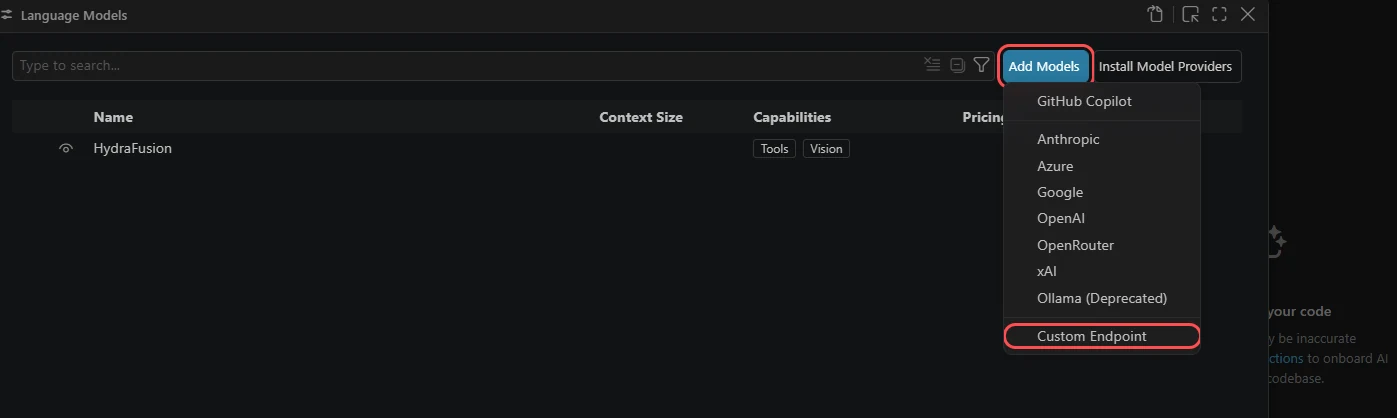
Press Ctrl+Shift+P (Cmd+Shift+P on a Mac) and run Chat: Manage Language Models. Click Add Models, then Custom Endpoint.
-
Name it and paste your key
Type
AxForgeas the group name and press Enter. Then paste your key and press Enter. VS Code keeps the key in its own secret store and shows it as dots.
-
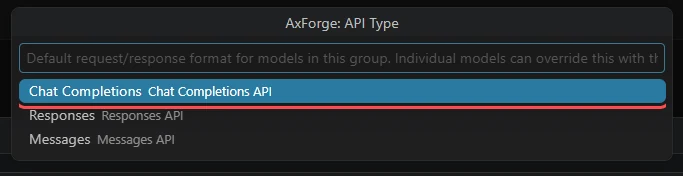
Choose Chat Completions
-
Add the models
VS Code opens
chatLanguageModels.jsonwith a group for AxForge. Keep itsapiKeyline as it is (that is VS Code's pointer to your stored key) and make"models"this list, then save:"models": [ { "id": "qwen3.8-27b-nvfp4", "name": "Qwen3.8 27B", "url": "https://api.axforge.ai/v1/chat/completions", "toolCalling": true, "vision": true, "maxInputTokens": 245760, "maxOutputTokens": 16384 }, { "id": "glm-5.3-flash", "name": "GLM-5.3-Flash", "url": "https://api.axforge.ai/v1/chat/completions", "toolCalling": true, "vision": false, "maxInputTokens": 245760, "maxOutputTokens": 16384 }, { "id": "mimo-v2.6-flash", "name": "MiMo-V2.6-Flash", "url": "https://api.axforge.ai/v1/chat/completions", "toolCalling": true, "vision": false, "maxInputTokens": 245760, "maxOutputTokens": 16384 } ]The
urlis the whole address,/chat/completionsincluded. Input and output together make 262,144 tokens, what each of the three can read at once.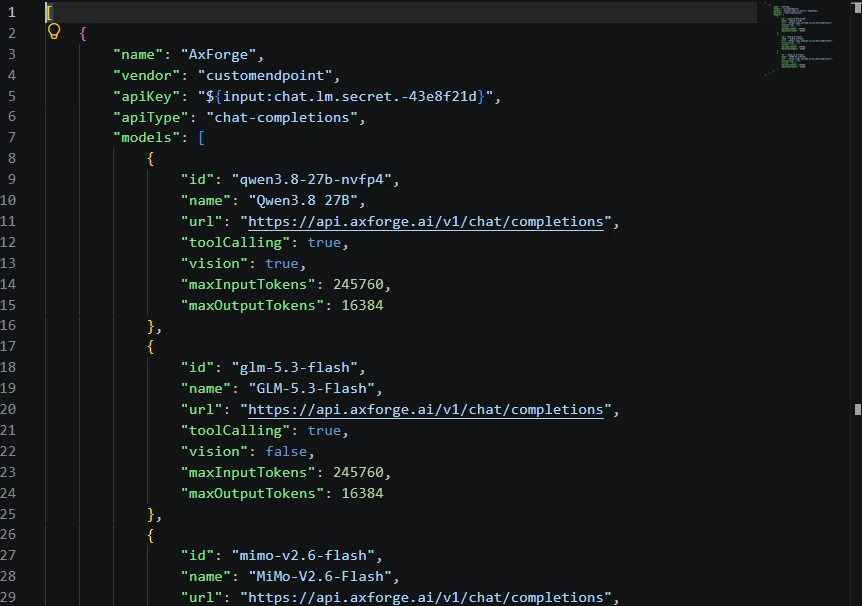
-
Pick the model in the chat
Open the chat (Chat: Open Chat), click the model name under the message box and type
Qwen. Our models are under Other Models.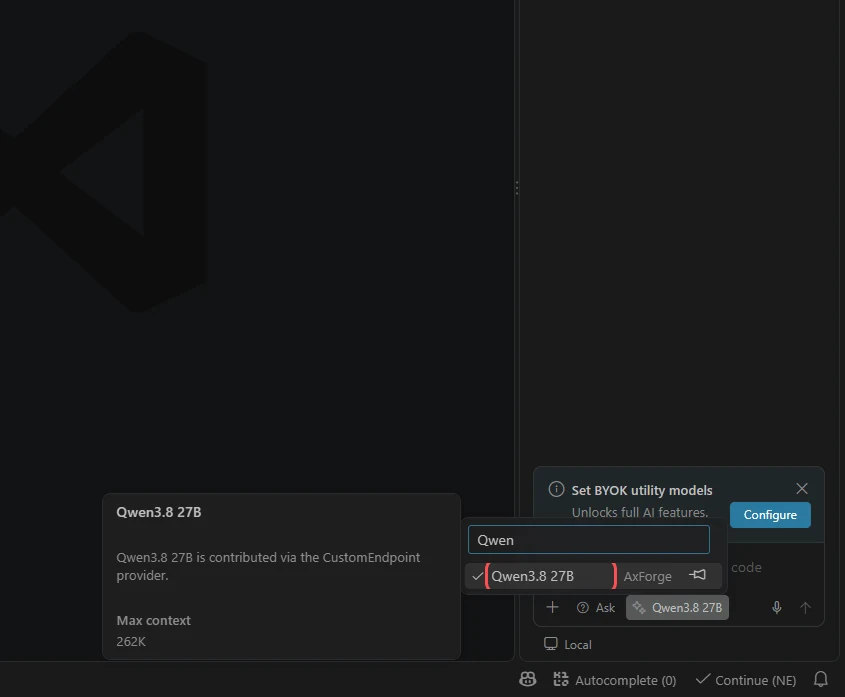
-
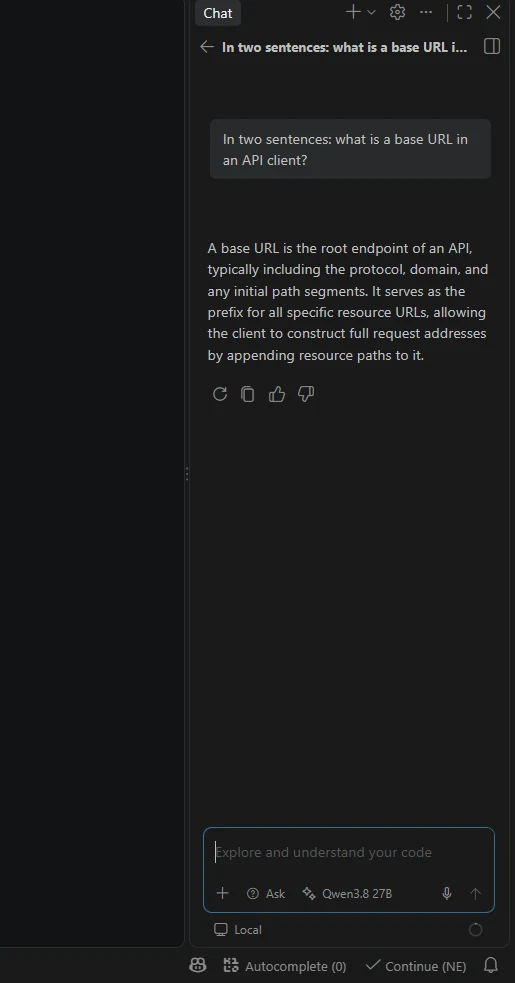
Ask something
The answer comes from your AxForge key. The name under the message box says which model answered.
The settings
| Field | Value |
|---|---|
| Provider | Custom Endpoint |
| API type | Chat Completions |
| url (each model) | https://api.axforge.ai/v1/chat/completions |
| id | qwen3.8-27b-nvfp4, glm-5.3-flash, mimo-v2.6-flash |
| toolCalling | true (all three) |
| vision | true for qwen3.8-27b-nvfp4 only |
| maxInputTokens · maxOutputTokens | 245760 · 16384 |
Which model for what: qwen3.8-27b-nvfp4 is the
everyday default and reads images, glm-5.3-flash thinks before it answers,
mimo-v2.6-flash is the fastest.
VS Code may show Set BYOK utility models. That offers to use your own models also for its small background jobs, such as chat titles. It is not needed for the chat to work.
Check that it works
The picker shows Qwen3.8 27B and a question gets an answer. The call also shows in the console under API Keys → Recent calls within a minute.
When it does not work
| What you see | What it means | Fix |
|---|---|---|
| No Custom Endpoint under Add Models | an older VS Code | update VS Code |
| Our models are not in the picker | the file was not saved, or its JSON has a mistake | save the file; a red underline shows where the mistake is |
404 | the url is not the whole address | use https://api.axforge.ai/v1/chat/completions |
401 | the key was refused | add the group again with the key pasted whole, or make a new key |
Test a call says in one click whether a problem is your key, your balance or us.