Connect → LiteLLM
Use AxForge with LiteLLM
LiteLLM is an open-source proxy: one address for many models and providers, with its own keys for your apps. Put AxForge's models in its config and your apps reach them through the proxy.
- An AxForge API key. Get one (a minute).
- Python 3.10 or newer. This guide was tried with LiteLLM 1.105.1 on 2026-10-17. Avoid the builds 1.82.7 and 1.82.8, which were flagged upstream.
Set it up
-
Install the proxy
pip install "litellm[proxy]" -
Write config.yaml
model_list: - model_name: qwen3.8-27b litellm_params: model: openai/qwen3.8-27b api_base: https://api.axforge.ai/v1 api_key: os.environ/AXFORGE_API_KEY - model_name: glm-5.3-flash litellm_params: model: openai/glm-5.3-flash api_base: https://api.axforge.ai/v1 api_key: os.environ/AXFORGE_API_KEY - model_name: mimo-v2.6-flash litellm_params: model: openai/mimo-v2.6-flash api_base: https://api.axforge.ai/v1 api_key: os.environ/AXFORGE_API_KEY general_settings: master_key: os.environ/LITELLM_MASTER_KEY # what your apps send to this proxyopenai/in front of each model tells LiteLLM to speak the OpenAI shape to AxForge. Theapi_baseends in/v1; LiteLLM adds the rest of the path. -
Two keys in the environment
Your AxForge key, and a master key of your own (any secret starting with
sk-) that your apps will send to the proxy:export AXFORGE_API_KEY="orx_live_your_key_here" export LITELLM_MASTER_KEY="sk-a-secret-you-choose"$env:AXFORGE_API_KEY = "orx_live_your_key_here" $env:LITELLM_MASTER_KEY = "sk-a-secret-you-choose" -
Start the proxy and call it
litellm --config config.yaml --port 4000In a second terminal (with
LITELLM_MASTER_KEYset there too), ask through the proxy:curl localhost:4000/v1/chat/completions \ -H "Authorization: Bearer $LITELLM_MASTER_KEY" \ -H "Content-Type: application/json" \ -d '{"model":"glm-5.3-flash","messages":[{"role":"user","content":"Say hello in five words"}]}'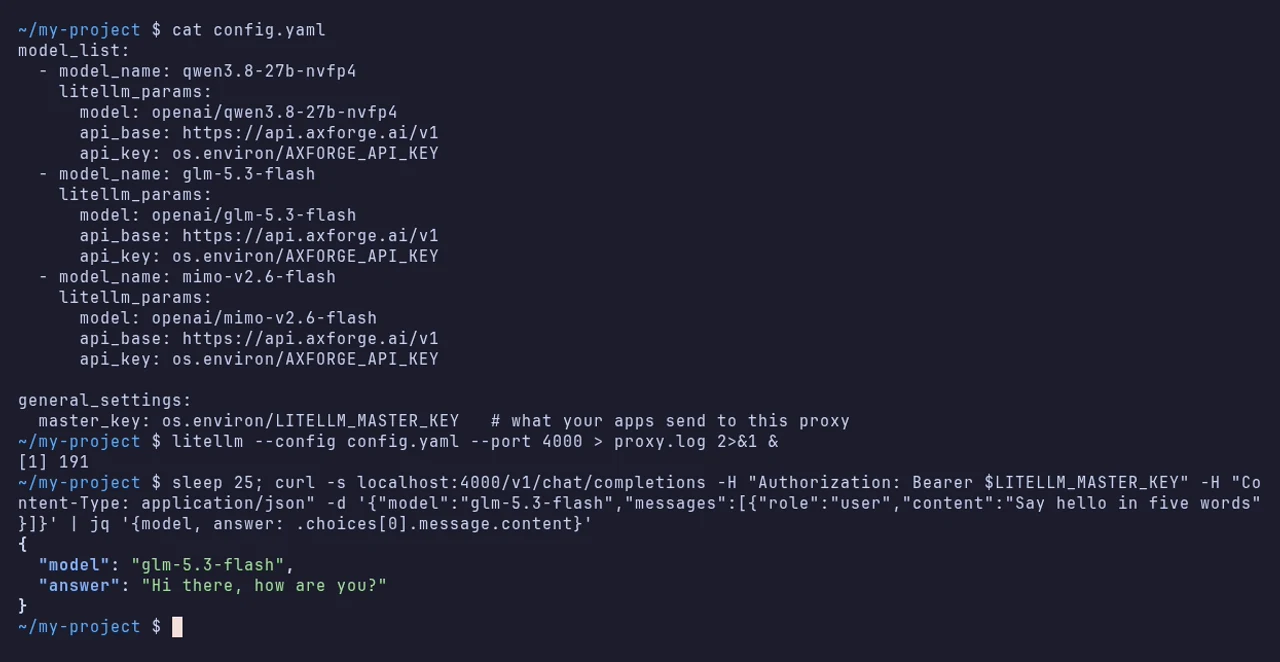
Your apps now use http://localhost:4000/v1 as their base URL and the master key as their key.
Without the proxy
LiteLLM's Python SDK calls AxForge directly:
import os
import litellm

reply = litellm.completion(model="openai/mimo-v2.6-flash", api_base="https://api.axforge.ai/v1",
                           api_key=os.environ["AXFORGE_API_KEY"],
                           messages=[{"role": "user", "content": "Say hello in five words"}])
print(reply.choices[0].message.content)
The settings
| litellm_params | Value |
|---|---|
| model | openai/qwen3.8-27b, openai/glm-5.3-flash, openai/mimo-v2.6-flash |
| api_base | https://api.axforge.ai/v1 |
| api_key | os.environ/AXFORGE_API_KEY |
Which model for what: qwen3.8-27b is the
everyday default and reads images, glm-5.3-flash thinks before it answers,
mimo-v2.6-flash is the fastest.
Check that it works
A call through the proxy answers and names the model. The calls show in the AxForge console under API Keys → Recent calls within a minute.
When it does not work
Not sure which it is? The connection doctor makes seven small
checks on your key and names the fix: irm https://dev.axforge.ai/assets/axforge-doctor.ps1 | iex in
PowerShell, curl -fsSL https://dev.axforge.ai/assets/axforge-doctor.sh | bash on macOS and Linux.
| What you see | What it means | Fix |
|---|---|---|
| A 401 from the proxy | your app sent the wrong master key | send LITELLM_MASTER_KEY, not your AxForge key |
| "Invalid API key. Create one at https://console.axforge.ai/keys." | AxForge refused the key in AXFORGE_API_KEY | set it in the terminal that starts the proxy, whole |
| 404 Not Found | api_base has no /v1, or has more after it | use exactly https://api.axforge.ai/v1 |
Test a call says in one click whether a problem is your key, your balance or us.